Aug 02, 2026
•
9 mins read
Walk into any electronics shop or open Amazon and search "CCTV camera," and you'll get hundreds of results within seconds. Different resolutions, different brands, prices ranging from a couple thousand rupees to well over a lakh. Most of that difference doesn't actually matter for your situation, but a few specifics do, and getting those wrong is how people end up with a camera that looks fine in the box and then disappoints within a few months. Here's what to actually check before you buy.
1. Resolution: Match It to the Distance, Not the Marketing
Higher resolution isn't automatically better if you're overpaying for detail you don't need. For a small indoor room or a front door a few feet away, 1080p Full HD is genuinely enough to identify a face clearly. For anything covering a longer distance, like a gate, driveway, or parking area, go with 4MP or higher, since resolution drops fast the farther away the subject is from the lens. The rule of thumb: the wider or longer the area, the higher the resolution needs to be to keep faces and number plates readable.
2. Indoor vs. Outdoor Build: Check the IP Rating
This is the one people skip most often and regret the most. An indoor camera mounted outside will start failing within a monsoon or two, sometimes sooner. If you're buying for anything outdoors, whether it's a gate, balcony, or parking spot, check the IP rating on the box. IP65 or higher means the camera can handle dust and water spray, which is what you need for Indian weather. Also check the operating temperature range if the camera will sit in direct sun for long hours, since heat affects electronics as much as water does.
3. Night Vision Range and Type
Most incidents, from theft to trespassing, happen after dark, so this isn't a feature you can skip on outdoor or perimeter cameras. There are two things to check here: the range, given in meters, and the type. Standard infrared night vision gives clear black-and-white footage and is the cheaper option. Full-color night vision uses a small built-in light to keep colors visible at night, which is more useful if you need to describe someone's clothing or a vehicle's color later, and it costs more for that reason.
4. Storage Type and Capacity
Footage is only useful if it's still there when you need it. Cameras generally offer one or more of three storage options: a microSD card slot for local storage, cloud storage through a subscription, or a DVR/NVR hard drive for wired systems. MicroSD storage is the simplest and avoids a recurring fee, but the footage is gone if someone steals the camera itself. Cloud storage protects against that but comes with a monthly cost. Whichever you pick, check how many days of footage it actually holds at your camera's resolution, since that number shrinks fast once you go from 1080p to 4K.
5. Wired vs. Wireless Connectivity
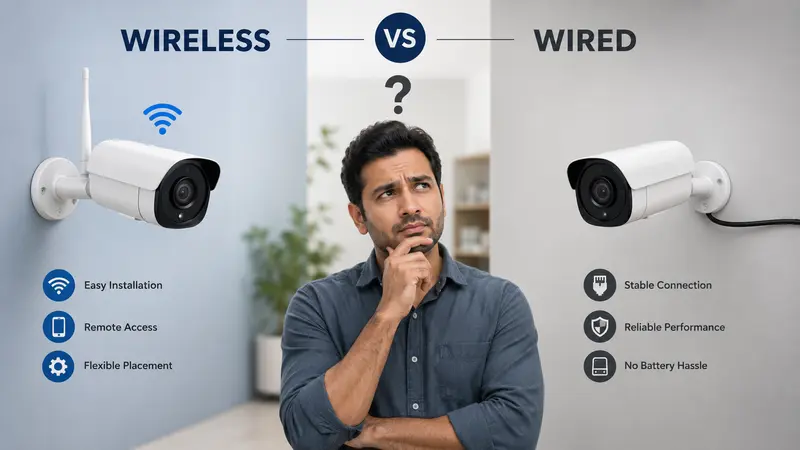
This decision shapes almost everything else about installation. Wired cameras connect to a DVR or NVR through cabling and don't depend on WiFi signal strength, which makes them the steadier choice for a permanent setup with several cameras. Wireless (WiFi) cameras skip the cabling entirely, which is faster to install and better suited to rented homes, apartments, or anyone adding just one or two cameras. If you go wireless, check the camera's WiFi range against your router's actual coverage in that spot, not just the spec sheet number.
6. Mobile App and Remote Access
Nearly every camera sold today claims mobile connectivity, but the actual experience varies a lot between brands. Before buying, check a few recent user reviews specifically about the app: does live viewing lag, do motion alerts actually arrive on time, does playback work smoothly. A camera with great hardware and a broken app is still a frustrating camera to own.
7. Power Backup for Outages
A camera that goes dark during a power cut is a camera that misses exactly the situation it was bought for. Check whether the camera or its DVR/NVR system has any battery backup, and if not, plan for a small UPS to keep the router and recorder running through short outages. This matters more in areas with frequent load-shedding than it does in a metro with stable power.
8. Professional-Grade vs. Affordable Consumer Cameras
There's a real difference between the best professional security cameras and the affordable consumer options most homes buy, and it's worth being clear about which one you actually need. Professional-grade cameras (from brands like Hikvision, Dahua, or CP Plus's higher-end range) offer better build quality, wider lens options, and support for large multi-camera systems, which makes sense for shops, offices, schools, or villas needing full campus-style coverage. For a single home or apartment, a solid affordable camera from Tapo, Mi, Qubo, or Imou usually covers everything you need without paying for scale you won't use. Buying "professional" specs for a two-camera home setup is money spent on capability you'll never touch.
9. Warranty and Local Service Support
A camera is only as good as the support behind it once something goes wrong. Check the warranty period (most brands offer one to two years) and, more importantly, whether the brand has service centers or technicians in your city. This matters a lot outside major metros, where some international brands have thin service coverage. Indian brands like CP Plus tend to have wider service networks across smaller cities, which is worth factoring in if you're not in a metro.
10. Timing Your Purchase
Prices on cameras and full CCTV kits move throughout the year, and buying at the right time can mean a meaningfully better deal for the same specs. In India, the best windows are usually the big festive sales on Amazon and Flipkart around September and October, Republic Day sales in January, and end-of-financial-year clearance in March, when retailers push to clear inventory. If you're not in a rush, it's worth waiting a few weeks for one of these windows rather than buying at full price mid-year.
A Quick Way to Use This Checklist
If you're short on time, the four that matter most for almost everyone are resolution matched to distance, the right IP rating for indoor or outdoor use, decent night vision, and reliable local support. The rest (professional-grade builds, extended storage, advanced app features) matter more as your setup gets bigger, whether that's a villa, an office, or a full campus.
Conclusion
Specs on a box only tell you so much. What actually determines whether a camera works well for you is how it matches your specific space, budget, and the number of points you need covered. If you'd rather have someone walk through your property and recommend the right setup instead of comparing spec sheets yourself, Raj Communication handles exactly this, from a single home camera to a full multi-camera installation.
Frequently Asked Questions
What should I check first before buying a CCTV camera?
Start with where it'll be installed. That decides whether you need an outdoor-rated (IP65+) camera or an indoor one, and it shapes every other choice after that, from resolution to night vision.
Is a higher resolution camera always better?
No. 1080p is enough for small indoor spaces and short distances. Go higher (4MP or more) only for wider areas like gates, driveways, or parking spots where the subject is farther from the lens.
Do I need cloud storage or is a memory card enough?
A microSD card is enough for most home setups and avoids a monthly fee. Cloud storage is worth it if you want backup footage in case the camera itself is stolen or damaged.
Are wireless CCTV cameras as reliable as wired ones?
Yes, as long as the WiFi signal is strong where the camera is installed and the router stays powered. For larger multi-camera setups, wired systems are generally steadier since they don't share bandwidth with other devices on the network.
When is the best time to buy a CCTV camera in India?
The festive sales on Amazon and Flipkart around September and October, along with Republic Day sales in January and financial year-end clearance in March, typically offer the deepest discounts on cameras and full kits.